Features
Built for One Thing. Done Right.
A complete look at what OpenMSG does: open, read, save and print MSG files on Windows — without Outlook.
Free for personal use · Enterprise from $450/yr
Fast File Opening
Large MSG files, open in an instant
OpenMSG reads MSG files with native parsing, so opening a message doesn't mean waiting. No splash screens, no progress bars — the email is there the moment you double-click.
Built for big messages
Handles MSG files up to 3 GB by default, including messages with large attachments.
Batch-friendly
Open files in quick succession when reviewing an exported mailbox or an archive.
Lightweight install
Around 15 MB from the Microsoft Store, with no Outlook or Office requirement.
quarterly-archive.msg
1.8 GB · 42 attachments
No progress bars. No splash screens.
Complete Email Rendering
See every email the way it was sent
The full email view shows sender and recipients (To, CC, BCC), subject, date, and the complete HTML body — with inline images resolved locally so the message looks as intended.
Rich HTML bodies
Formatted emails render with their layout, styling, and embedded images intact.
Header details
See who sent the message, who else received it, and when — all at a glance.
Very large messages
If a body exceeds the viewer's rendering limit, open it in a full browser window in one click.
Attachment Visibility
Know what's inside at a glance
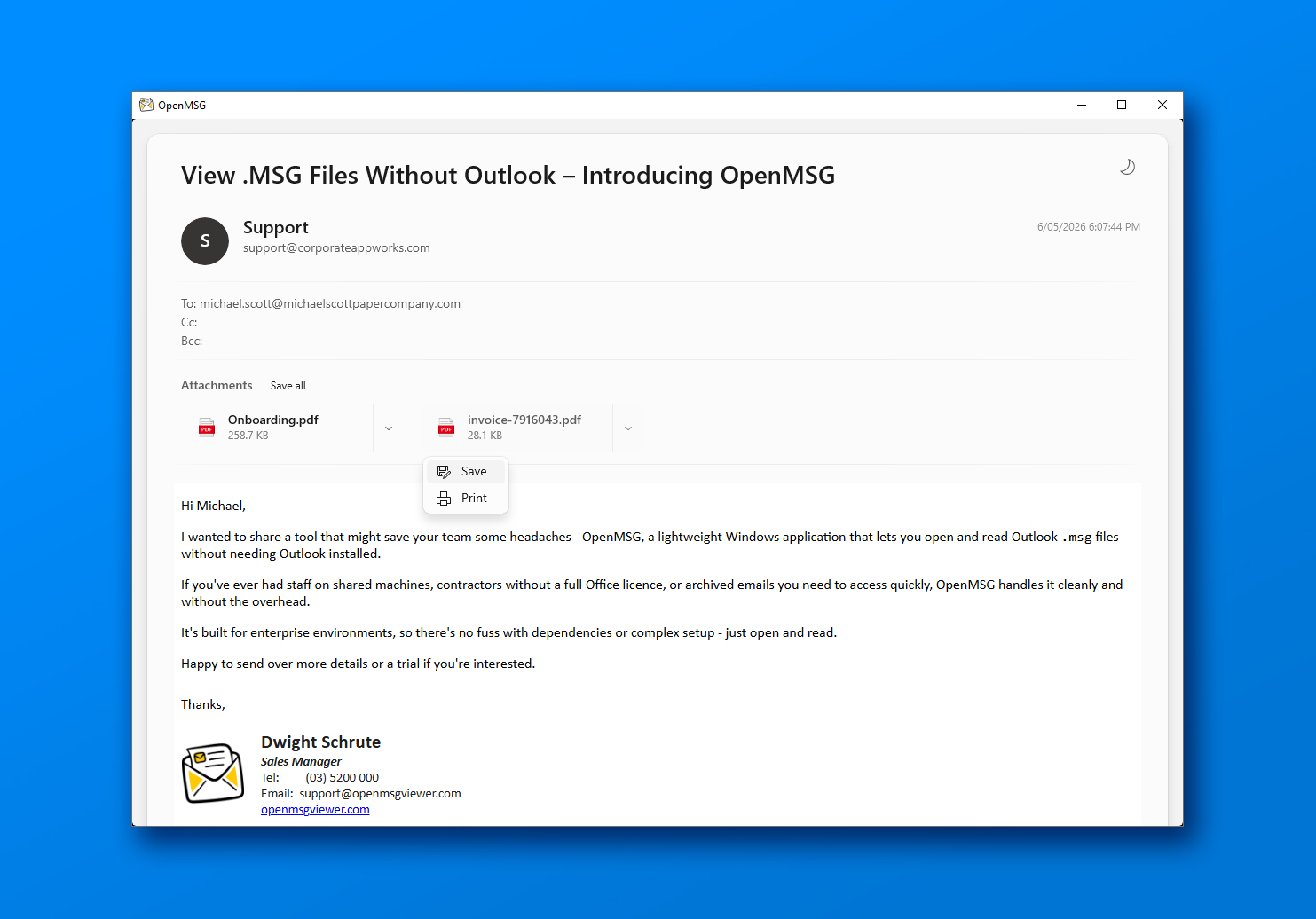
The attachment panel lists every file in the message with its type icon, name, and size — so you can see what's included before you decide to open or save anything.
Clear file details
File name, size, and format icon for every attachment in the message.
All common types
PDFs, Office documents, images, archives, and more are all recognised and listed.
Nested messages
Emails forwarded as attachments are listed like any other file and open in a new window.
Attachment Saving
Save exactly what you need
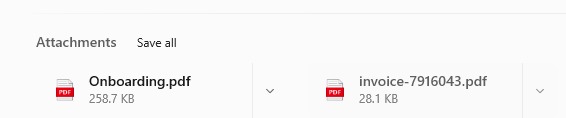
Save a single attachment from the message, or grab every file at once with Save all. Files are written straight to a folder you choose using the standard Windows Save dialog.
One at a time
Open the attachment menu and save the file with its original name pre-filled.
Save all
Download every attachment in the message into a folder you pick, in a single action.
Read-only by design
OpenMSG never modifies the original MSG file — it only reads what you open.
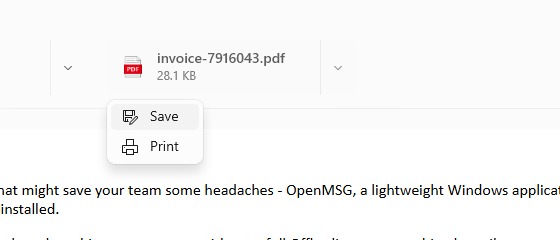
Original filename pre-filled in the standard Windows Save dialog.
Print to PDF
Share or archive any email as a PDF
The toolbar Print button renders the email to PDF and opens it in your default browser, ready to save or send. Individual attachments can be printed from their menu too.
Email to PDF
Turn any message into a PDF document without Outlook or a virtual printer.
Attachment printing
Print a file straight from the attachment menu — for any type except nested .msg files.
IT-controllable
Administrators can disable either print option in managed deployments.
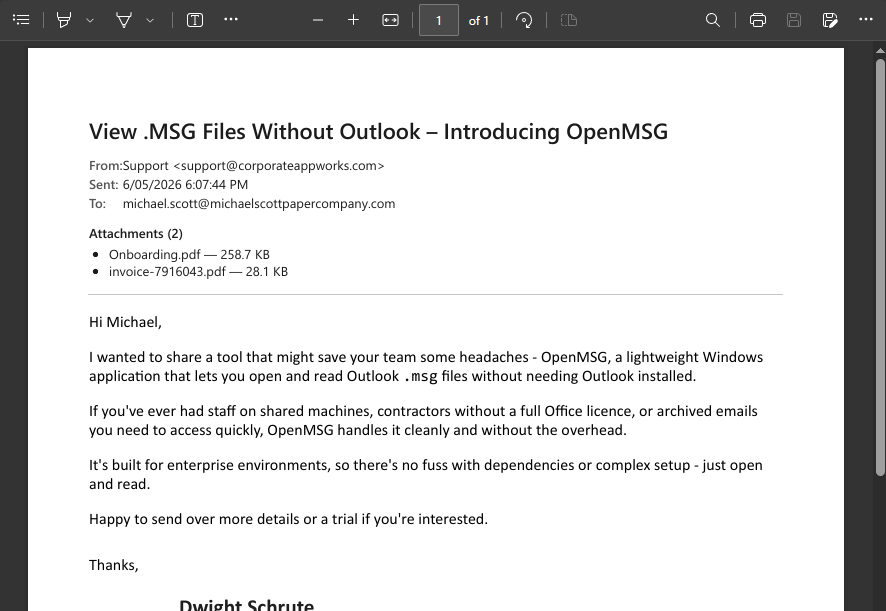
Email rendered to PDF — no Outlook or virtual printer required.
Light & Dark Theme
A native Windows look, day or night
OpenMSG follows the Fluent Design language of Windows 11. Switch between light and dark themes from the toolbar, and the app remembers your choice for next time.
One-click toggle
Switch between light and dark themes from the toolbar at any time.
Remembered per user
The app reopens in the theme you last used, across sessions.
Managed deployments
Administrators can pre-set or lock the theme via registry configuration.
Privacy by Design
Your emails stay on your device
MSG files are parsed and rendered entirely on your machine. Email content, attachments, and message metadata are never uploaded to us or anyone else.
Fully local processing
No account, no cloud service, and no internet connection needed to view a message.
Pseudonymous telemetry only
Limited, pseudonymous usage analytics and crash reports help us improve the app. Email content, attachment contents, and file names are never included. You can disable both in the app's About menu, and they're permanently disabled in the Enterprise and Evaluation builds.
No mailbox access
OpenMSG only reads the MSG files you open. It never connects to your mailbox or syncs anything.
Only limited, pseudonymous analytics and crash reports are sent — and administrators can turn those off.
Secure by Default
Untrusted emails, handled carefully
Emails are untrusted by nature. OpenMSG sanitises message HTML before it's rendered and blocks external content by default, so opening a message doesn't quietly load remote assets or run code.
HTML sanitised
JavaScript event handlers, javascript: links, and auto-redirects are stripped before an email is displayed.
External content blocked
A strict content policy stops images and other assets loading from third-party servers unless you explicitly allow it for that message.
Sandboxed parsing
Parsing runs in an isolated AppContainer, separate from the rest of your system.
File checks
Attachments whose contents don't match their extension, or that carry executable signatures, are blocked before opening.
before rendering
<img src=banner.png onerror=track()>
<a href=javascript:open()>
Sanitised before display
- JavaScript stripped from email HTML
- External images and assets blocked by default
- Parsing isolated in an AppContainer sandbox
- Disguised executables blocked before opening
Also Included
Ready to Open Your First MSG File?
Free for personal use. No account, no credit card.