Open Outlook .MSG Files| Without Outlook
A fast, lightweight Windows app that opens any .msg file in seconds — no Microsoft 365 subscription, no bloat, no fuss.
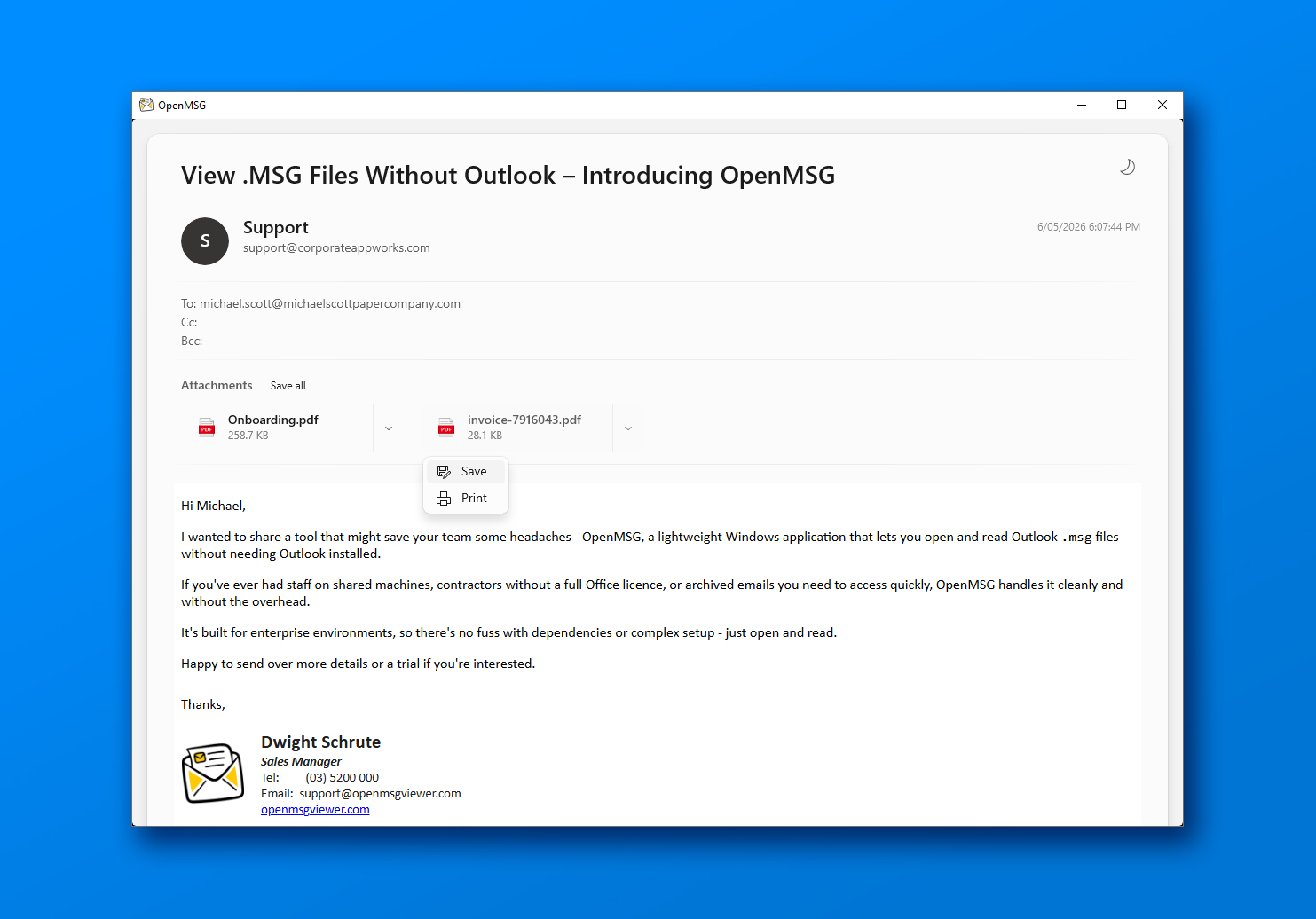

Stuck With MSG Files You Can't Open?
You've hit one of these walls before. OpenMSG removes all of them. See common use cases →
Double-clicking does nothing
Windows has no built-in handler for .msg files. You're stuck staring at an error — even when the email contains something urgent.
Outlook is overkill — and expensive
A Microsoft 365 subscription costs $10–$22/month per user. That's an unreasonable price just to open one file format.
Reviewing hundreds of files should be fast
Legal teams, IT admins, and compliance officers work under deadlines. Slow, clunky tools cost real time and real money.
Everything You Need. Nothing You Don't.
Purpose-built for one thing: opening MSG files beautifully.
See the full feature listFast file opening
Open any MSG file instantly — even large ones with heavy attachments.
No Outlook required
Fully standalone. Works with zero Microsoft Office installed.
Full email detail
Sender, recipients, subject, date, HTML body and embedded images, the way it was sent.
Attachments, handled
See every attachment with its name and size — then save one or all to a folder you choose.
Print to PDF
Render any email to PDF and open it in your browser, ready to save or send.
Privacy-first design
Files are processed locally on your device. Email content is never uploaded.
How it works
Up and Running in 60 Seconds
Three steps. No account, no configuration, no Outlook.
Download from the Microsoft Store
One click
Open any .msg file
Double-click or drag-and-drop
Read and review the full email
Instantly
Comparison
Why OpenMSG Wins
A purpose-built viewer next to a full email client and a mixed bag of free utilities.
| Feature | OpenMSG | Microsoft Outlook | Other Viewers |
|---|---|---|---|
| Cost | Free for personal use | Microsoft 365 required | Free–$30 |
| Outlook Required | Not needed | Required | Usually |
| Speed | Instant | Slow startup | Varies |
| File Processing | Local only | Cloud Sync | Varies |
| Windows 11 Native | Yes | No | No |
| App Size | ~15 MB | 500+ MB | 50–200 MB |
Third-party details reflect publicly listed plans and typical behaviour at the time of writing, and may vary by region and plan.
Trusted by users worldwide
Ratings from the Microsoft Store
4.9 / 5
Microsoft Store rating
0+
Monthly active users
MSG files open without Outlook
"I spent days and days each time open a MSG file with "Notepad", it was a nightmare. And today I discover that I can open with a "OpenMSG", perfect!"
Perfectly simple, absolutely no fluff!
"It displays the email contents fully formatted (with confirmation before loading external content) and supports downloading the attachments. It does literally nothing else, and I love it. Near perfection for a simple UX (I kinda wish I had the option to print, but I respect the decision to consider that out of scope for this tool). Keep it gloriously simple!"
Great fast app
"Extremely smooth and fast in opening and viewing .msg files and attachments. Very happy!"
FAQ
Common Questions
Stop Being Blocked by MSG Files
Free for personal use from the Microsoft Store. No account, no credit card, no subscription.
Compatible with Windows 11 and Windows 10 (version 1809, build 17763.0 or higher) · Need help?